Identify the specific skill
Bring supported assessment and classroom evidence together. See the rationale for suggested support, and flag missing evidence rather than assuming a need.
 MasteryCueInstructional intelligence
MTSS INTERVENTION TRACKING & DOCUMENTATION
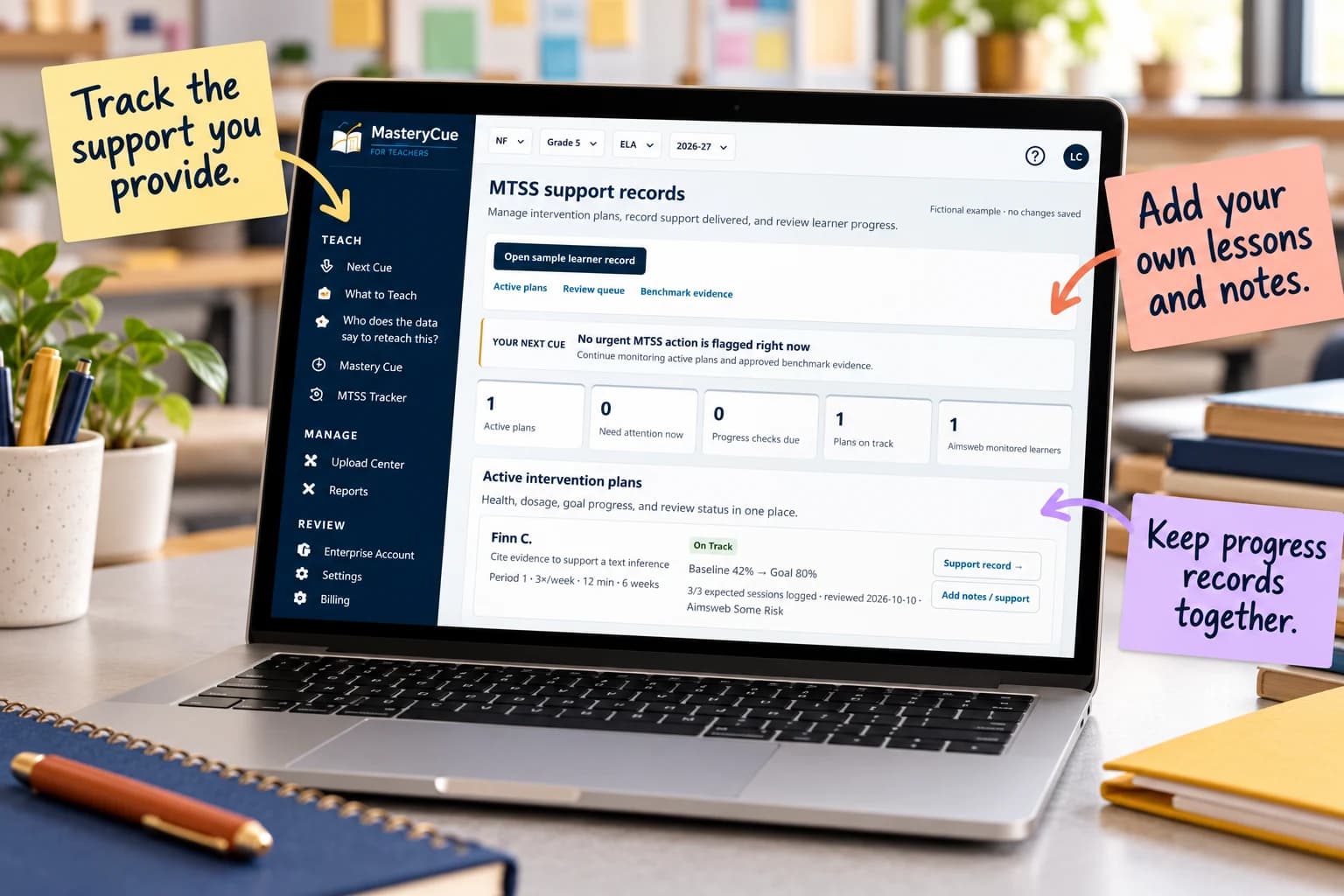
Your intervention notes shouldn’t live in scattered spreadsheets. Connect evidence to a focused 15-minute group, log the support you actually provide, and keep the next progress check in view.
14 days free. Continue for $12.99/month only if you choose to upgrade. The fictional sample needs no account or student data.
USE THE REPORTS YOU ALREADY HAVE
Use supported IXL Score Grid, MAP Growth, aimswebPlus, and classroom assessment exports alongside rosters and curriculum maps. Review learner matches and available evidence before using a suggested group or teaching plan. Accepted formats vary by report.
Selected CSV or Excel layouts for Star Reading & Math, i-Ready Diagnostic, and mCLASS / DIBELS can provide screening, domain, placement, or benchmark context. Format coverage and the full upload-to-recommendation workflow are still being verified.
These are file imports, not direct vendor connections. Diagnostic scores do not establish mastery of an individual standard or automatically place students in an intervention.
FROM DATA TO DOCUMENTED SUPPORT
Bring supported assessment and classroom evidence together. See the rationale for suggested support, and flag missing evidence rather than assuming a need.
Review and adapt skill-based groups. Open a short 15-minute targeted routine with modeling, guided practice and an independent check.
Record the lesson, supports and observations—even when you use your own activity. Keep dated notes together for MTSS team conversations.
Keep evidence and follow-up checks visible so teams can decide whether to continue, adjust or intensify support. Placement remains a school-team decision.
BUILT FOR THE CLASSROOM LAST MILE
Many MTSS systems emphasize screening, plans, compliance and district reporting. MasteryCue focuses on the teacher's next instructional move and the documentation that follows.
Use it to connect available evidence to a small-group plan, then keep a dated record of what you tried. It is a classroom workflow companion—not a replacement for district MTSS policies, universal screeners, formal eligibility decisions or a full case-management system.
See the classroom workflow before committing your team. Individual educators can start a trial; schools and districts can request a walkthrough of organizational needs.
14 days free. Optional upgrade: $12.99/month. No automatic intervention placement.