Match practice to the current skill
Start with the skill or standard in the current instructional window. Look for IXL practice evidence that genuinely aligns rather than treating all activity as equally relevant.
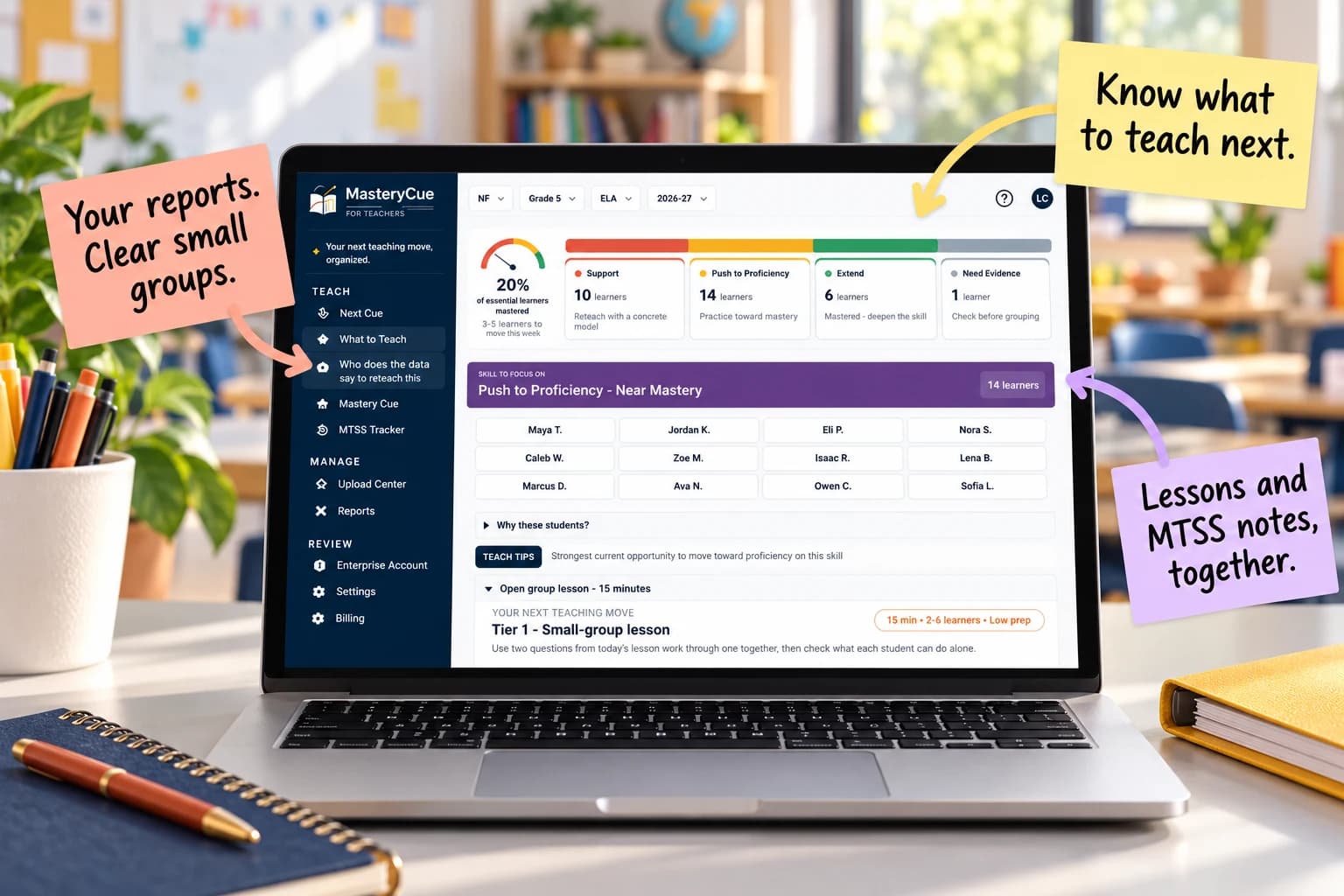
Practice data is most useful when it is connected to what students are learning now. Use skill-level IXL evidence to identify patterns, compare them with other classroom evidence, and choose a focused next instructional move.
14 days free. Continue for $12.99/month or $99/year only if you choose to upgrade.
USE THE REPORTS YOU ALREADY HAVE
Use supported IXL Score Grid, MAP Growth, aimswebPlus, and classroom assessment exports alongside rosters and curriculum maps. Review learner matches and available evidence before using a suggested group or teaching plan. Accepted formats vary by report.
Selected CSV or Excel layouts for Star Reading & Math, i-Ready Diagnostic, and mCLASS / DIBELS can provide screening, domain, placement, or benchmark context. Format coverage and the full upload-to-recommendation workflow are still being verified.
These are file imports, not direct vendor connections. Diagnostic scores do not establish mastery of an individual standard or automatically place students in an intervention.
Start with the skill or standard in the current instructional window. Look for IXL practice evidence that genuinely aligns rather than treating all activity as equally relevant.
Consider recency, amount of practice, and other aligned evidence. Practice performance can strengthen an instructional hypothesis, but teachers should review the broader evidence before making a sustained placement decision.
Use the pattern to decide what happens next.
After the teaching move, look for new classroom or practice evidence. The goal is not more activity; it is evidence that the targeted skill changed.
Stop rebuilding groups and teaching plans from scattered reports. Review the evidence, choose a focused teaching move, and keep a record of the support you provide.
Use assessment results, classroom evidence, curriculum pacing, standards, and the class context you already work with.
Identify the skill and students that need attention now instead of stopping at a score report.
Choose support, targeted instruction, extension, or another evidence check—and verify what changed.
Explore practical guides for grouping, assessment analysis, and next-step planning.
Use relevant skill-level practice evidence with current classroom evidence to identify students who may benefit from a similar instructional response, then keep groups flexible.
No. Practice data is one evidence source and is most useful when interpreted with classroom assessment, curriculum context, and teacher judgment.
No affiliation is implied. MasteryCue is designed to incorporate supported classroom data sources into an instructional decision workflow. IXL is a product and company name of IXL Learning.